Defender Rescue 2 : How To Plunder - Pull The Pin Brain Teaser
Instructions:
Description
Defender Rescue 2 : How To Plunder - Pull The Pin Brain Teaser Strategy Guide
Winning Strategies
- Scan the whole contraption before touching a single pin, because pulling the wrong one first almost always sets off a chain reaction you can't take back.
- Watch gravity closely. Planks, boulders, and enemy platforms all drop the moment their supporting pin goes, so line up your next move before that happens.
- Save the pin nearest the treasure or the princess for last, that's usually the reward trigger and yanking it early just wastes a setup.
- Restart quickly if a level goes sideways instead of trying to salvage a messy board, these puzzles reset fast and stubbornness rarely pays off here.
- Pay attention to enemy positioning; sometimes dropping a beam onto them solves two problems at once, defeating the guard and clearing your hero's path.
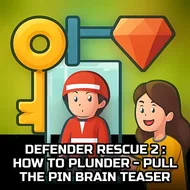
The setup is simple on paper but sneaky in practice: a knight needs to get past traps, guards, and rickety wooden rigs to free a captured princess and grab whatever gold happens to be lying around. Each level is basically a little physics puzzle dressed up as a rescue mission, full of planks, ropes, and pins holding the whole thing together like a house of cards. Your job is figuring out the exact order to pull those pins so everything collapses in your favor instead of crushing the hero or letting the loot slip away. It's the same pull-the-pin formula fans of the first game will recognize, just with tighter layouts, trickier pin placement, and more moving parts to track before you commit.
Controller & Keyboard Guide
- Tap directly on a pin to pull it, that's the entire input scheme, no complicated combos involved.
- Drag your finger or cursor across the screen to look around a level if the layout stretches past what's visible.
- Tap the restart icon whenever a level falls apart, no need to quit the app or back out to a menu.
- Use the level-select screen to jump back into earlier puzzles once you've unlocked them, handy for revisiting ones you rushed through.