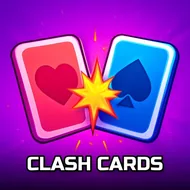
Clash Cards
Instructions:
Mouse click or tap to playDescription
Clash Cards Strategy Guide
Top Tips
- Scan every neighboring tile before you commit a move, since one wrong slide can put your hero card face to face with a spike tile you didn't notice.
- Chase gold cards when your health bar looks healthy, but don't get greedy if a monster card is sitting right next to the reward.
- Bank healing cards for later stretches of the board instead of grabbing the first one you see. Sometimes patience pays more than instinct.
- Watch the pattern of the grid, not just the single next step. A good move now can trap you two turns later.
- If two paths look equally risky, pick the one that leaves you closer to a healing tile afterward.
Clash Cards drops you into a pixel-drawn dungeon rendered entirely as a grid of playing cards, and your only piece on the board is a hero card that shuffles around one square at a time. Every card you bump into does something: monsters and spikes chip away at your health, healing tiles patch you back up, and gold cards pad your score. There's no big lore dump or dungeon map to memorize, just a tight little arena where every single move rearranges the danger around you. The goal is simple to state and weirdly hard to execute well, push your score as high as possible while keeping your hero card alive, one careful slide at a time.
Controller & Keyboard Guide
- Play using mouse clicks, no keyboard needed at any point.
- On touchscreens, a simple tap in the direction you want moves your card the same way a click does on desktop.
- Each click represents one full move, so there's no rapid-fire clicking your way out of trouble. Slow down and read the board.
- Because input is just point-and-click, the difficulty sits entirely in the decision-making rather than reflexes or timing.
- Misclicks count, so double-check the tile before committing, especially when a spike card sits one square away from a heal.